The best smart home automation ideas are not the ones that make your house feel futuristic. They quietly remove decisions you repeat every day: finding the hallway switch with full hands, adjusting the thermostat before bed, or checking whether you left the lights on. A useful routine connects a trigger to several coordinated actions, so devices work together instead of waiting for separate taps.
Start With a Routine, Not a Shopping List
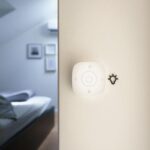
Think about a moment that happens regularly and feels inconvenient. Then identify what starts it, what should happen, and when it should stop. A motion sensor can trigger a light, but adding a darkness condition prevents it switching on during daylight. Pairing that sensor with a dimmable bulb turns a simple device into a thoughtful routine.
A scene sets multiple devices to chosen states when you activate it. An automation runs actions after a trigger such as a schedule, sensor event, or arrival. Supported features vary by platform, so check compatibility before buying accessories.
Make Mornings Flow Without Reaching for Your Phone
Wake Up Gradually
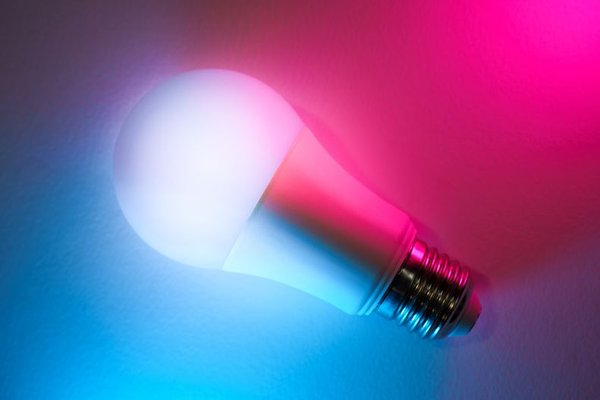
Instead of an abrupt ceiling light, schedule compatible bedroom bulbs to brighten over several minutes. You could then adjust smart blinds and set the thermostat to a daytime temperature. If family members wake at different times, keep bedroom lighting on individual schedules rather than one whole-house routine.
Give the Kitchen a Head Start
Try a weekday routine that turns on kitchen lights and starts a briefing on a compatible speaker. A smart plug can switch on a suitable low-risk device, but never use an unattended plug for heaters, cooking appliances, or equipment that its manufacturer says should not be remotely switched.
Create separate weekday and weekend versions. A 6:30 a.m. automation should not interrupt Saturday breakfast.
Let Arrivals and Departures Handle the Basics
Make Leaving Home a Single Event
An Away routine can turn off selected lights, reduce heating or cooling to an appropriate setting, and alert you if a supported contact sensor reports an open window. Some platforms start this when the last household member leaves. Account for everyone; triggering on the first departure could leave someone still at home in darkness.
Give Arrivals a Warmer Welcome
Imagine coming home with groceries after sunset. When your phone’s presence status changes to home, the entry light turns on, the living room lamp shifts to a soft setting, and the thermostat returns to its occupied schedule. A darkness condition prevents unnecessary lighting in the afternoon.
Location routines depend on permissions and reliable detection. Keep physical switches and thermostat controls available when an arrival is missed or someone comes home without a phone.
Use Sensors to Make Rooms Respond Naturally
Light Hallways Without Waking Anyone
Set a hallway motion sensor to activate lighting at low brightness between bedtime and sunrise, then switch it off after inactivity. This beats turning on the main lights at full strength. Test the sensor around stairs and doorways, where unexpected darkness could be hazardous.
Control Bathroom Fans Carefully
A humidity sensor can activate a compatible ventilation fan as moisture rises, with a delay before it switches off. Choose a threshold appropriate to your home’s normal humidity rather than copying a random number. A smart routine does not replace properly installed ventilation or electrical safety requirements.
Keep Comfort Linked to Occupancy
Temperature sensors in different rooms can reveal why a hallway thermostat feels inaccurate. Depending on your system, compatible controls may prioritize an occupied room or adjust setpoints through the day. Start with modest changes and monitor comfort before trying aggressive energy-saving schedules.
Build Evening Routines Around Real Habits
A movie-night scene can dim lamps, lower compatible blinds, and change accent lighting with one command. Keep it manually activated if household members use the room at different times. Automating everything by the clock can be irritating.
A bedtime scene could switch off downstairs lights, set bedroom lamps to a warm glow, and adjust the thermostat for sleep. Include a reminder to check doors, but avoid automatically unlocking entrances. Locks, alarms, and other security controls deserve deliberate confirmation and reliable fallback access.
For a lamp routinely left on in an empty room, try an occupancy-based off rule. Add enough delay that it does not turn off while someone is reading quietly.
Choose Triggers That Fit the Situation
Smart home routines rely on different signals. Schedules are predictable but cannot tell whether anyone is home. Motion responds quickly but may miss people sitting still. Phone-based presence detection can be delayed. Door sensors suit specific events, while a physical button is often best when someone wants control.
Conditions improve automation examples. Rather than “motion means lights on,” try “motion after sunset means lights on at 30 percent.” Rather than “7 p.m. means heating on,” use the occupancy and temperature conditions your equipment supports. Keep rules simple enough to explain.
Set Up Your First Automation Without Creating Chaos
Start with one low-risk routine, such as entryway lighting. Choose a platform that works with your devices, then confirm each accessory’s supported triggers and actions. Matter can improve interoperability across compatible products, but does not guarantee identical advanced features in every app. Some setups require an appropriate hub or Thread border router.
Set a trigger, add useful conditions, and choose the action. Test it during the day, at night, and while other household members are present. Consider what happens if a sensor stops reporting or the internet goes down. Keep ordinary switches usable and disable overlapping rules that fight over the same device.
Before expanding, explore smart home hub basics, how smart sensors work, and smart lighting for beginners. These are useful next steps for planning connected home ideas without buying unnecessary equipment.
Frequently Asked Questions
What is the easiest automation to start with?
A motion-activated entryway or hallway light is a straightforward project. It has an obvious trigger and an easy-to-test result. Limit it to evening hours and confirm the sensor and bulb work with the same platform.
Can I automate devices from different brands?
Often, if they support a shared ecosystem or compatible standard such as Matter. Advanced functions can still differ between brands and apps, so check the exact product and feature rather than relying only on a compatibility logo.
Do automations work without the internet?
Some local routines continue without internet access, depending on the hub, protocol, and devices. Cloud-dependent features, voice services, and remote control may stop working. Test your setup before relying on it for essential tasks.
Will home automation lower energy bills?
It can reduce waste by avoiding unnecessary lighting or heating, but savings depend on equipment, habits, settings, and energy prices. Enjoy convenience first, and measure actual energy use instead of assuming a guaranteed reduction.
Make the House Helpful, Not Complicated
The strongest smart home automation ideas solve specific annoyances and still make sense when technology misbehaves. Start with lighting or comfort, add carefully chosen conditions, and involve everyone who uses the space. When your home automation ideas follow real habits, daily life becomes easier instead of more complicated.